
Guide
AI Storybooks for Kids: What the Generators Make, What They Miss, and When to Buy One Printed
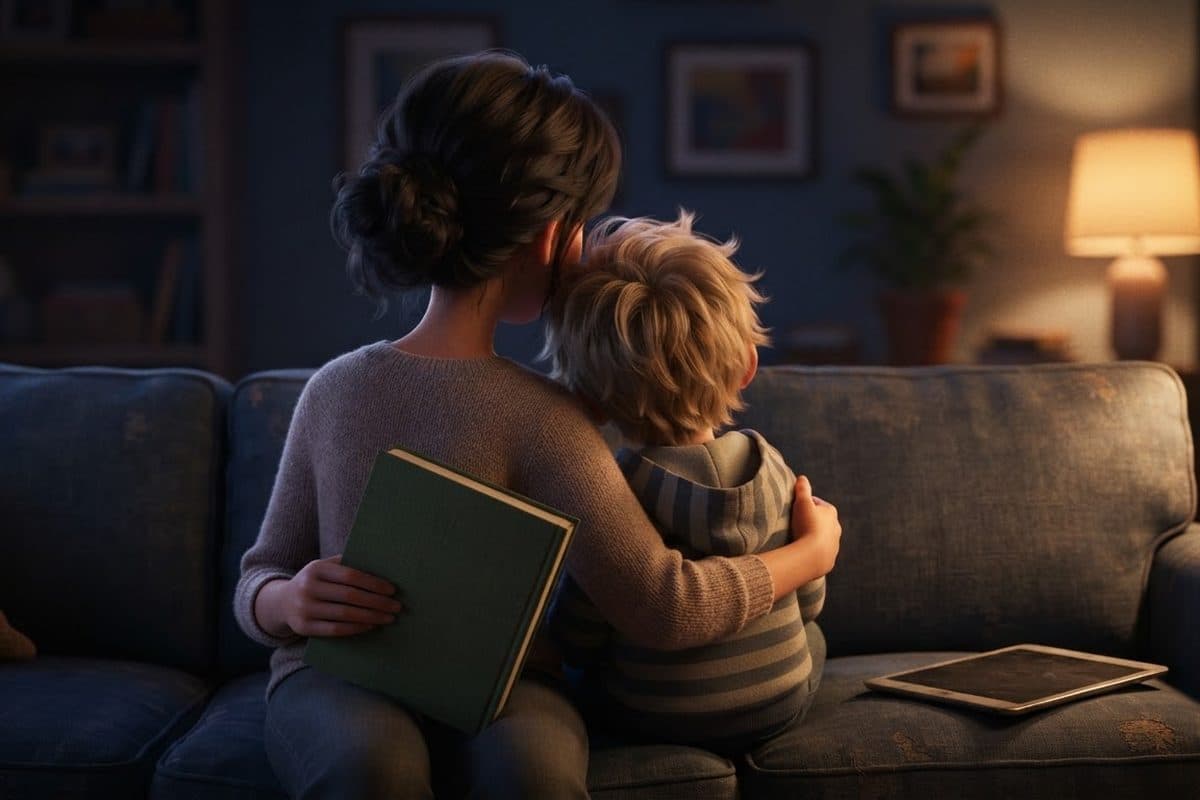
Type AI storybook for kids into a search bar and you get a row of apps making the same promise: describe an adventure, upload a photo, and a few minutes later your child is the character in a finished, illustrated book. The idea is exactly what many parents want: to see their own child drawn like someone in the animated movies the family watches together.
What that first page of results does not tell you is where the tools fall short, because everybody on it is selling one. This guide tries to. It covers what the generators do, what the best known ones offered, what they are good at, the problems parents run into, what happens to your child's photo, and whether you can really turn your child into a Pixar character.
We are not neutral, and should say so. We make personalized storybooks, and we use AI too, because for a book drawn from a photo almost everybody does at some stage. What matters is whether a person looks at the result before it is printed. We have not ordered or tested these apps' books: what we say about each one comes from its own pages, read on September 25, 2026.
What an AI storybook generator actually does
Under the different names, nearly every app in this category does the same four things.
- It writes the story. You type a sentence, a theme or a memory, pick an age, and a language model writes the text in seconds.
- It designs the character, from your description or from a photo that an image model turns into an illustrated face.
- It draws the pages, one picture per page or spread, each generated on its own, with the character placed in the scene.
- It hands you the book: a digital book, a PDF, or a printed copy ordered from a print partner.
Where they differ is the starting point. Childbook.ai, ReadKidz, MyStoryBot, Dashtoon and BookletAI are built around the idea, though some take a photo too. ToonyStory and Lullaby are built around the photo, writing an adventure around your child's face. Imajinn works the other way around: one story written by its own author, three to five photos to train an image model on your child's likeness, and staff who, it says, handpick the best pictures for each book.
Google's Gemini app has a Storybook feature of its own: describe a story, add photos if you like, and in a minute or two it makes an illustrated, narrated book of about ten pages, to share by link or print from the browser. Google's page adds that you cannot edit the text directly; you ask Gemini to regenerate it.
What the best known apps offered in September 2026
Plans change often, so this is dated: what each company's own pages said on September 25, 2026.
| App | You start from | Free to try | Paid, as listed | What you get |
|---|---|---|---|---|
| Childbook.ai | An idea, your own text or a template | No free plan listed with its prices | From $19 a month, or $2.50 for a single book | A PDF, or a printed softcover, with printing and shipping extra |
| ToonyStory | A photo and a theme | Yes: 10 credits, up to 16 pages, one story, watermarked PDF | From $9.99 a month, or $7.99 a month billed yearly | A PDF, or a hardcover priced by size and page count |
| ReadKidz | One sentence or idea | Yes: 1,500 starter credits for 30 days, watermarked exports | From $10 a month, or $108 a year | PDF export, animations, and a printed hardcover at extra cost |
| Lullaby | Photos and a description, or your own text | Yes: a free preview of the cover and two pages | $14.99 per story for the digital book | PDF and high resolution images; print from $29.99 after the digital book |
The free tiers are real and limited in the expected ways: fewer pages, a watermark on the download, and in ToonyStory's case its standard models, since it says the paid plans give better character consistency. Printing is always extra, though the printed book is often what a parent wanted in the first place.
Our own first step is free in the same way: send one photo and see your child drawn as a character in about half a minute, with no card and no account.
What these apps are genuinely good at
This could easily be a list of warnings, and that would be unfair. For plenty of families an app is the right tool.
- Speed. A finished, illustrated story in minutes: Lullaby says two to five, ToonyStory about five.
- Cost. Most start free, and a monthly plan covers as many stories as its credits allow.
- Any story at all, from a dinosaur scared of the dentist to the week the baby came home. A story about what your child is living through right now is the most useful kind there is.
- Making it together. The best use of all. A five year old who decides what happens next and argues about the color of the dragon is telling a story, not watching one, and the book at the end is theirs in a way no bought book can be.
- A one-off, for a birthday morning or a first lost tooth. It does not have to last twenty years.
- Your own words, illustrated. Childbook and Lullaby will both illustrate a text you wrote, as it is.
Where they are weaker is the moment the story has to become an object that looks like your child on every page, reads well aloud and survives a few hundred bedtimes. The next five sections are about that.
Why your child looks different on every page
This is the problem parents notice first, and its cause is simple: an image model does not remember your child. Every picture is drawn fresh, and each time the model makes its own small decisions about the eyes, the nose, the line of the hair. One at a time, they look fine. Put thirteen side by side and you get a family of cousins, all related to your child and none of them quite your child. That is why the face on page twelve so often belongs to somebody else.
It shows in the details a family knows a child by: the gap in the teeth, the set of the eyebrows, the parting in the hair. Adults forgive it as style. A child reading a book that is supposed to be about them tends to ask who that is.
Every app on the first page knows this, and most say their characters stay consistent: Childbook says the same face and outfit carry from the cover to the last page, and ToonyStory's pricing page counts consistent characters among its advantages. Imajinn's FAQ is more cautious: its stylized pictures may not look exactly like the child, and eye and hair color are especially hard. Take the claims seriously; the only test that counts is your child, in your book, checked page by page before anything is printed.
To see how a likeness holds before choosing anything, put one photo through our preview: the character comes back in about half a minute, free.
Why the story can feel generic, or oddly paced
The words fail the other way: they are steady, and bland. A language model writes the most likely story for the prompt, roughly the average of a great many stories, and a picture book needs more than average. Watch for these:
- Too many words. Picture books for three to seven year olds work at a few hundred words across thirteen or fourteen spreads. Generated drafts often run long, describing what the picture already shows.
- The moral said out loud. Drafts often end by explaining what the child learned, and children hear the lecture, not the story.
- Magic that fixes everything. When a wizard or a parent solves the problem, the child in the story has nothing to do, and neither does the child listening.
- Pacing that ignores the page turn. The text is usually one flowing piece cut into pages, so the surprise lands in the middle of a spread instead of on the next one.
- Rhyme that is almost right, which is hard to read aloud, and you will read this one aloud a lot.
All of it is fixable, and it is where an adult adds the most: the steps are in the checklist further down, and the shape a picture book needs is in our guide to making a children's book yourself, which applies to an AI draft too.
Words inside pictures, and pictures too soft to print
Two technical problems cause most of the disappointment when an AI book arrives on paper.
Words inside pictures can come out wrong. Image models are better at lettering than they were, but a birthday banner, a shop sign or a name on a cake can still come back misspelled or mirrored. The story text is usually laid out separately, which is fine; the trouble is the words the pictures contain. Check every sign and label, and regenerate the wrong ones, because a child who is learning to read will find them.
Screen resolution is not print resolution. Printers work at around 300 dots per inch at final size, so an 11 inch page needs about 3,300 pixels across, and an image made for screens can have well under half that and still look perfect on a phone. If an app states the resolution it exports, 300 DPI at the final size is the number to look for. Before you order, zoom in on a face in the PDF: if the eyes are blurred on screen, they will be blurred on paper.
Who prints the book, and who checks it
Most of these apps now sell a printed copy: ToonyStory hardcovers in four sizes, Lullaby softcover, hardcover or layflat, ReadKidz a hardcover, Childbook a softcover, Imajinn a softcover or hardcover. Others hand you a PDF.
In a self-serve app, the person who approves each page before it prints is you, and the apps say so plainly: ToonyStory lets you preview a full storybook before paying anything, and Childbook describes the draft as something you read through, rewriting any line and regenerating any illustration that missed. That is not a criticism; it is what self-serve means, and Imajinn, whose staff pick the pictures, is the one that works differently. You are the editor and the proofreader, a lovely job on a Sunday afternoon and a hard one at eleven at night before a birthday. Two habits help:
- Order one copy first. Most of the problems above are invisible on screen and obvious on paper.
- Leave time for the mail. ToonyStory puts standard shipping at 3 to 5 business days after printing, Lullaby estimates 8 to 15 days in the US, and Imajinn says 7 to 14 business days.
If that is the part you would rather skip, a made-to-order book is the other route: a real artist checks every page of our personalized books for kids before they are printed and bound, and the first step is a free look at your child drawn from one photo.
The photo question: what the apps say they do with it
The marketing page will say your child's photo is safe; the privacy policy decides what is allowed, and in this category it is short enough to read over coffee. Look for five things:
- Where the photo goes. Almost no app runs its own image model. The better policies name the provider.
- Whether it trains anything, and whether that no covers the provider too, or only the app.
- How long it is kept, as a number of days, not “as long as necessary.”
- How to delete it, and whether deleting the character deletes the photo.
- Whether you can skip it, by describing your child in words instead.
The answers exist, and they differ. As of September 2026, ToonyStory's privacy policy names Google's Gemini as the service its photos go to and says ToonyStory never uses them to train AI models, nor, under the API terms it operates on, does Google. It says they are removed when you delete the character or the account, though backups of a deleted account may keep copies for up to 90 days. Childbook's says you can remove photos yourself, and that uploaded photos are deleted no later than 14 days after the related subscription ends. ReadKidz's says it does not use what you upload or make to train AI models of its own, and adds, with unusual candor, that this is not a promise about every outside provider. Lullaby lets you describe each character in words instead, the most private option there is, at the price of likeness.
If an FAQ and a privacy policy disagree, the policy counts. The longer version, with the one clause in the terms of service worth searching for, is in what happens to your child's photo when you upload it.
Ours, read the same way: our privacy policy says the photo goes to one image service that draws the character, is never used to train a model, is deleted thirty days after the book ships, and is not kept at all if you only try the preview.
Can you turn your child into a Pixar character?
Many of these searches start with one wish: to see your child the way the characters look in the films your family loves. The honest answer has three parts.
Nobody outside Pixar makes Pixar characters. No app, filter or book company can make your child one. What an app can do is imitate a look: the rounded features, big eyes and soft light people associate with modern 3D animated films. Whatever the button says, that is a style, not a studio, and it comes with no connection to the films.
A filter is not a book. The filters people find by searching “pixar ai” turn one photo into one picture: fun, fast, perfect for a phone background. A book asks for far more: the same face in that look through thirteen scenes, from the front and the side, laughing and asleep. That is what separates a keepsake from a novelty.
What we do, and what we do not claim. We draw children in the look of a modern 3D animated film, because so many families love it. Our characters, stories and places are our own; we have no connection to Pixar or Disney, and we do not describe our books with their names. If that 3D animated look is what you are after, the free preview shows you exactly that, from one photo.
How to get a good book out of an app
If an app is right for you, and for a one-off it often is, this order gets the best result.
- Write five lines first: who, what they want, what goes wrong, what they do about it, how it ends. The draft will have a shape.
- Choose one clear photo, facing the camera in daylight, no sunglasses or hats, with the location data removed.
- Settle the character before the pages. If the first picture is not your child, fix it now: every page inherits it.
- Keep the cast small. Every person you add is another face that can drift.
- Read it aloud before you look at the pictures, cut a third of the words, and put the surprise on a page turn.
- Check every face against the first good one, every sign for spelling, and the file at full size for sharpness.
Done that way, an app can make a book your child enjoys, and the evening you spent making it together is part of the gift.
When a made-to-order printed book is the better choice
At some point the question stops being which app and becomes whether you want to make the book at all. A book made to order and checked by somebody else is usually better when:
- It is a gift, above all from a grandparent: it has to arrive finished, and a book with a stranger's face on page nine is hard to hand over.
- It is a keepsake. A book meant for the shelf in twenty years needs a hardcover that survives a toddler and a face that is theirs on every page.
- Your child will ask for it every night. A book read a few hundred times has to hold together and be worth rereading.
- There is a date. A Saturday birthday needs a delivery window you know before you pay.
- You would rather read the book than edit it.
Print matters for the reading, too: in a University of Michigan study of 37 parent and toddler pairs, reported in 2019, parents and children talked more and interacted better with print books than with e-books, where parents talked less about the story and more about the device.
Why children respond so strongly to their own face in a story is in why kids love seeing themselves in books.
How ours works, and where it differs
Here is ours, held to the same standard.
- A written story, the same words for every family who picks the title. That is a limit: it is not the story of your trip to the lake. It is a finished story written to be read aloud, not generated on the spot.
- One photo, and AI for the drawing. Software draws your child from a single photo as a character in the look of a modern 3D animated film. Almost everybody making books from photos uses AI for this step, and so do we.
- The same face on every spread, all thirteen, with your child's name in the words.
- A person checks every page. A real artist looks at every spread before the book is printed. It is the step a self-serve app leaves to you, and the one we think matters most.
- Your dedication, printed word for word on its own page after the story.
- A hardcover printed in the United States: thirty pages, 11 by 8.3 inches, 170gsm coated silk paper, a matte laminated cover, and the delivery dates shown before you pay.
We have been drawing families since 2020, about ten thousand of them. We are not the right choice for a story only your family could tell: write that one yourself and let an app illustrate it. If what you want is your child inside a finished book, our personalized bedtime book is a fair place to start: meet their character first and decide from there.
A DIY AI app or a made-to-order book, side by side
The same comparison in one place, apps in general against a made-to-order printed book like ours.
| What matters | DIY AI storybook app | Made-to-order printed book |
|---|---|---|
| Cost of your time | Minutes to generate, then an evening checking faces and redoing pages | A few minutes: one photo, a name, a dedication |
| The story | Written on the spot, as good as your outline and your edit | Written once, the same for every family, with your child's name in it |
| The same face on every page | Depends on the app, the plan and the photo; you do the checking | Checked on every spread by a person before printing |
| Print quality | Depends on the export and the printer; order a proof | A hardcover printed from files made for print |
| Printing and binding | Extra; some apps print, others hand you a PDF | Included, with delivery dates shown before you pay |
| Privacy | Depends on the policy, so read it | One photo, one image service, deleted thirty days after the book ships |
| Gift readiness | Fine for a one-off, once every page is checked | Ready to wrap, with your dedication printed inside |
| Best for | A one-off, a story only your family could tell, making it together | A gift, a keepsake, a book asked for every night |
Neither column wins everywhere. If the making is the point, use an app and enjoy the evening. If the book is the point, start with a free preview of your child and leave the checking to somebody whose job it is.
Comparing companies that print books? How to choose a personalized book company lists the nine questions worth asking before you order, and the guide to personalized books for kids explains the four kinds of personalized book.
Sources
- Does story time with an e-book change how parents and toddlers interact? · Michigan Medicine, University of Michigan (EurekAlert!), 2019
- AI Children's Book Generator with Pictures · Childbook.ai
- Privacy Policy · Childbook.ai, 2026
- Pricing · ToonyStory (Modlific LLC)
- Privacy Policy · ToonyStory (Modlific LLC), 2026
- ReadKidz Pricing · ReadKidz (AeonProgress LLC)
- Privacy Policy · ReadKidz (AeonProgress LLC), 2026
- Personalized AI Children's Book Generator · Lullaby.ink, 2026
- Pricing · Lullaby.ink
- AI Personalized Children's Books · Imajinn AI
- AI Children's Story Generator · Dashtoon (Dashverse)
- Gemini Storybook · Google
- Create an illustrated storybook in Gemini Apps · Google, Gemini Apps Help
Questions parents ask
Can AI make a children's book with my child in it?
Yes. Several apps will write a story from a sentence and draw your child into it from a photo or a description in a few minutes, and some will also print it. How closely the character resembles your child, and whether it stays the same on every page, depends on the app, the plan and the photo, so check every page before you pay for printing. If you would rather not do that yourself, a made-to-order printed book, where a person checks each page, is the alternative.
Is there a free AI storybook generator?
Several start free, with limits. As listed in September 2026, ToonyStory's free tier gives 10 credits, up to 16 pages and a watermarked PDF, ReadKidz gives starter credits for 30 days with watermarked exports, Lullaby's free preview shows the cover and two pages before you pay to keep the book, and Dashtoon says a digital version is free. Printing always costs extra, and a free tier is usually a smaller version of the product rather than the whole thing.
Can I turn my child into a Pixar character?
No. Pixar characters are created by Pixar, and no app, filter or book company can turn your child into one. What apps and filters offer is a style, the rounded features, big eyes and soft light of modern 3D animation, with no connection to any studio. For a book, what matters is whether the face stays your child's on every page. Our books are drawn in the look of a modern 3D animated film, with characters and stories of our own, and have no connection to Pixar.
Is it safe to upload my child's photo to an AI app?
It depends on the app, and the answer is in its privacy policy rather than its marketing page. Look for where the photo is sent, an explicit statement that it is not used for training, a retention period given as a number of days, and a way to delete it. Remove the location data first, use a plain head and shoulders photo, and if the app lets you describe your child in words instead, that is the most private option.
Can I print an AI storybook?
Yes. Most of the well known apps sell a printed copy, softcover or hardcover, and the others give you a PDF you can print through a print on demand service. Before you order, check the file at full size, since images made for screens can print soft, look for spelling mistakes inside the pictures, and remember that free downloads usually carry a watermark. Order one test copy first: most problems are invisible on screen and obvious on paper.
How long does it take to make an AI storybook?
The generating takes minutes: Lullaby says two to five, ToonyStory about five. Getting a book you would want to print can take an evening, because you will reread the text, check the faces and redo the pages that miss. A printed copy then adds printing and shipping, from a few days to about three weeks by the apps' own estimates. A made-to-order book like ours is printed after you order it, with the delivery dates shown before you pay.
Are AI storybooks good for kids?
The story matters more than how it was made. A good one has a real problem, a child who solves it and words that read well aloud, and an AI draft can get there with an adult's edit. Read it yourself first, since drafts can run long or preachy. And print it if you can: a University of Michigan study found that parents and toddlers talked more, and more about the story, with print books than with e-books.
Why does my child look different on every page of an AI book?
Because each picture is drawn fresh. The image model does not remember your child between pages: it reinterprets the face from a reference every time, and the small differences add up until page twelve looks like a cousin. Better models and a good character reference reduce it. One clear front-facing photo, a small cast, the same outfit on every page and redoing the pages that drift all help, and so does checking every page against the first good one.
Childbook.ai, ReadKidz, MyStoryBot, Dashtoon, BookletAI, ToonyStory, Lullaby, Imajinn, Google, Gemini, Pixar and Disney are trademarks of their respective owners. Dreamtale Cartoons is an independent studio, not affiliated with, sponsored or endorsed by any of them.